
Figma FigJam
Collaborative whiteboard for product teams
Tool Overview
Tool Type
Collaborative whiteboard tool
Core Purpose
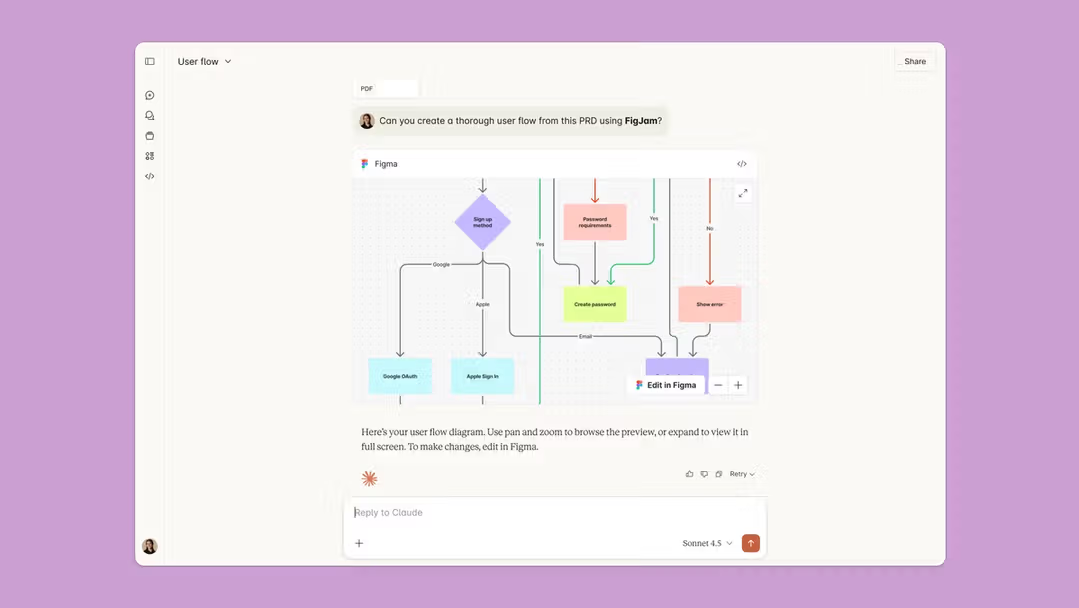
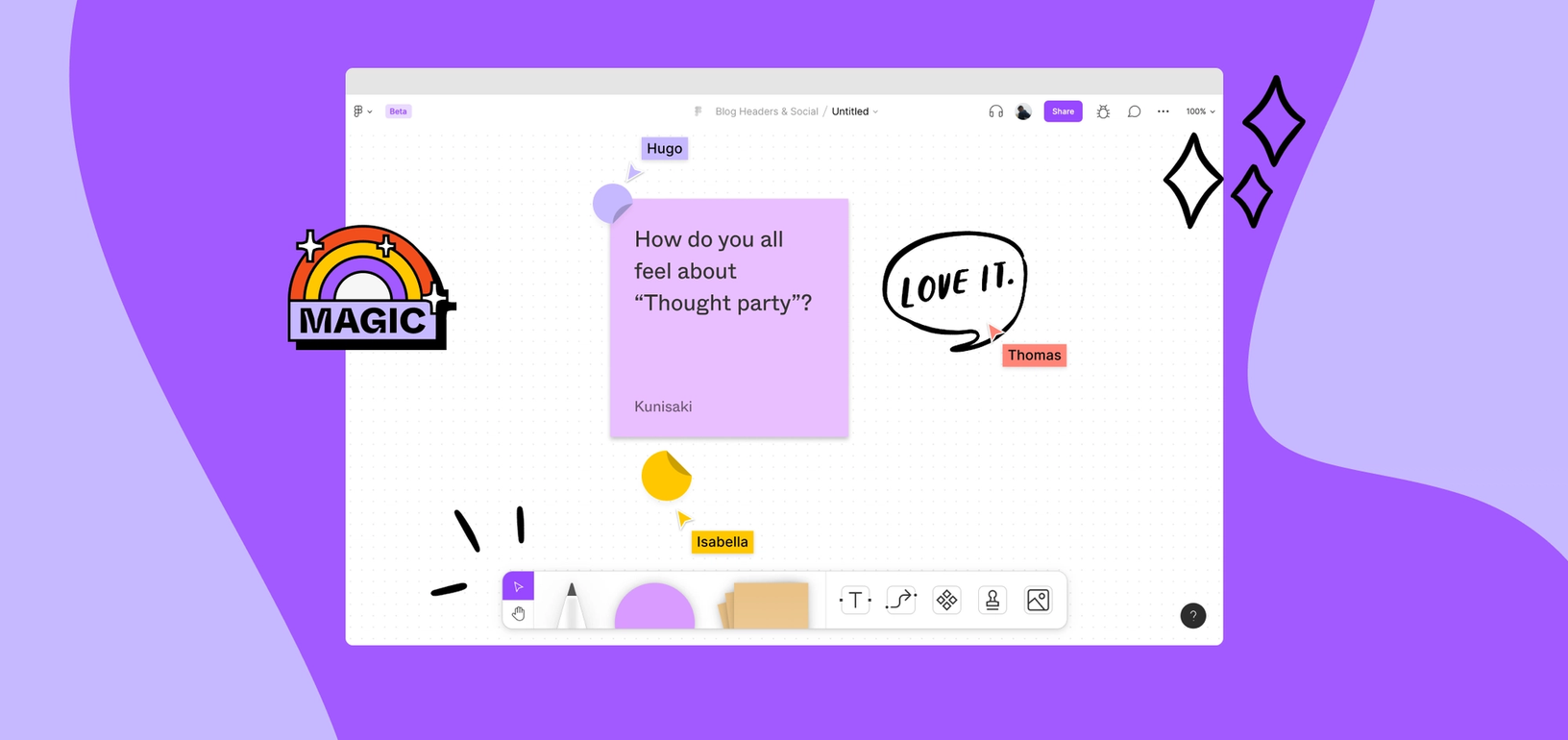
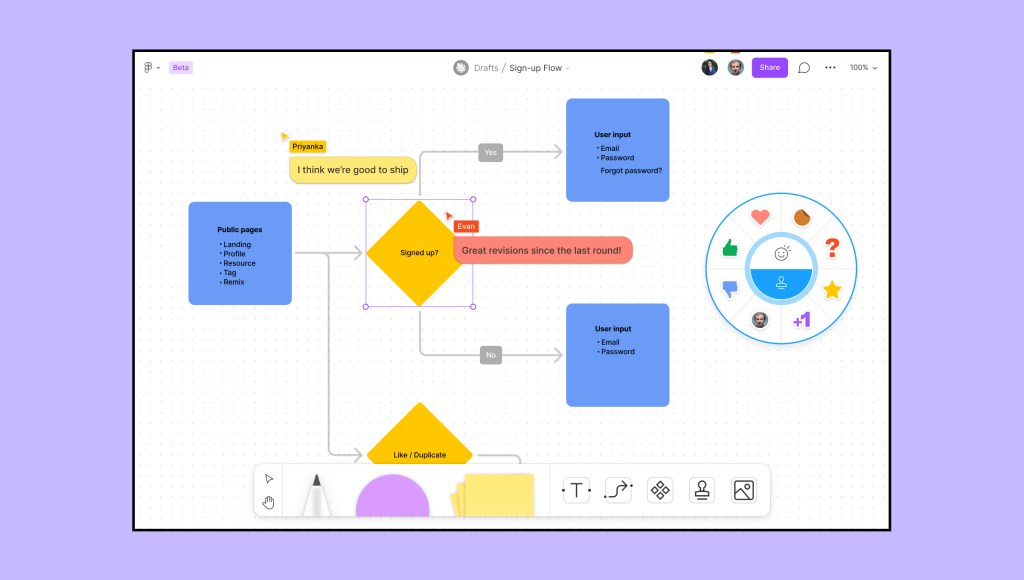
Figma FigJam is the collaborative whiteboarding and ideation layer within the Figma ecosystem. It is purpose-built for brainstorming, workshops, sprint planning, and cross-functional alignment. Across practitioner discussions and review platforms, FigJam is consistently described as intuitive, fast, and deeply integrated into modern product workflows. Its defining advantage is frictionless collaboration. Multiple participants can add sticky notes, draw, react, vote, and comment in real time without technical onboarding. Compared to traditional whiteboard tools, FigJam feels lighter and more playful while maintaining structure. The integration with Figma is strategic. Ideas generated in FigJam can transition directly into structured design files. This makes it particularly powerful for product teams that ideate and execute inside the same ecosystem. Feature depth focuses on facilitation rather than design. Templates for retrospectives, user journey mapping, brainstorming, and sprint planning are strong. However, it is not intended for polished design production. It competes directly with Miro and Mural in collaborative ideation. Within the ideation category, FigJam is among the most fluid and accessible options. Its ecosystem integration gives it an advantage for teams already standardized on Figma. FigJam is not a standalone design tool. It is a high-velocity collaboration surface that strengthens Figma's broader platform dominance in product development workflows.
"Across practitioner discussions and review platforms, FigJam is consistently described as intuitive, fast, and deeply integrated into modern product workflows"
Screenshots

The Perfect Tool For...
- •Product and UX teams running workshops
- •Cross-functional brainstorming sessions
- •Teams already using Figma for design
Avoid If...
- •You need standalone whiteboard with deep templates
- •You require enterprise whiteboard governance beyond Figma scope
- •You want a standalone design production tool
Ideal Use Cases
Sprint planning and retrospectives
User journey mapping
Brainstorming workshops
Figma FigJam has been recommended by Find Your Martech 14 times.
Detailed Evaluation
Organizational Fit for Figma FigJam
Early-stage start-up / solo
goodSmall team / agency
goodSMB / growing company
goodEstablished / large org
goodFind Your Martech Scores for Figma FigJam
Q1: What is your primary use case for design tools?
Q2: What design assets do you need to create? (Multiple selections possible)
Q3: How important is it that your designs can be reused outside the original tool?
Q4: What is your or your team's design experience level?
Q5: How important is brand consistency for you?
Q6: Does this tool need to connect with any of the following? Select all that apply - or skip if not relevant.
Key Features
Strengths
- Most fluid collaborative ideation tool
- Seamless transition to Figma design files
- Playful and engaging interface
Weaknesses
- Not a standalone design tool
- Feature depth below dedicated whiteboard tools like Miro
- Value tied to Figma ecosystem adoption
Workflow/PM Tool Synergies — Figma FigJam
These are workflow and project management tools that work particularly well with Figma FigJam.
FigJam boards support ideation and planning phases tied to Asana tasks.
Discovery and ideation boards are tied to Jira epics and stories.
Ideation and planning sessions feed directly into execution tasks.
Early product ideation and problem framing are tightly coupled with Linear issues.
Brainstorming and synthesis live inside collaborative Coda docs.
Cost Profile
🏷️ Mid-market · Free plan · Increases quickly
Free plan for individuals. Costs scale per editor and feature set, rising quickly for larger teams.
Alternatives
Explore More Reviews
Want Personalized Tool Recommendations?
Take our questionnaire to get customized recommendations based on your specific needs, team size, and budget.
Start the QuizStop Wasting Time on the Wrong Tools
Stop wasting time (and budget) testing endless marketing tools that don't actually fit your needs. Every business is different, your goals, team size, workflow, and growth stage all require a tailored solution, not a generic "top 10 tools" list. Our service helps you cut through the noise: a simple questionnaire-style quiz analyzes how you work and delivers clear, practical recommendations for the marketing tech that truly suits you.
