
Jira
The industry standard for agile software development teams
Tool Overview
Tool Type
Agile project management software
Core Purpose
Jira is the industry standard for software development teams running agile methodologies. Purpose-built for engineering workflows, it provides unmatched depth in sprint planning, backlog grooming, and release management. Teams adopt Jira when they need robust issue tracking with custom workflows that map to their development process. The platform excels at connecting code commits, pull requests, and deployments to user stories, giving technical teams full traceability from idea to production. While powerful for developers, its complexity and technical orientation make it challenging for non-technical teams, reinforcing its position as a specialized tool for engineering organizations.
"While powerful for developers, its complexity and technical orientation make it challenging for non-technical teams, reinforcing its position as a specialized tool for engineering organizations"
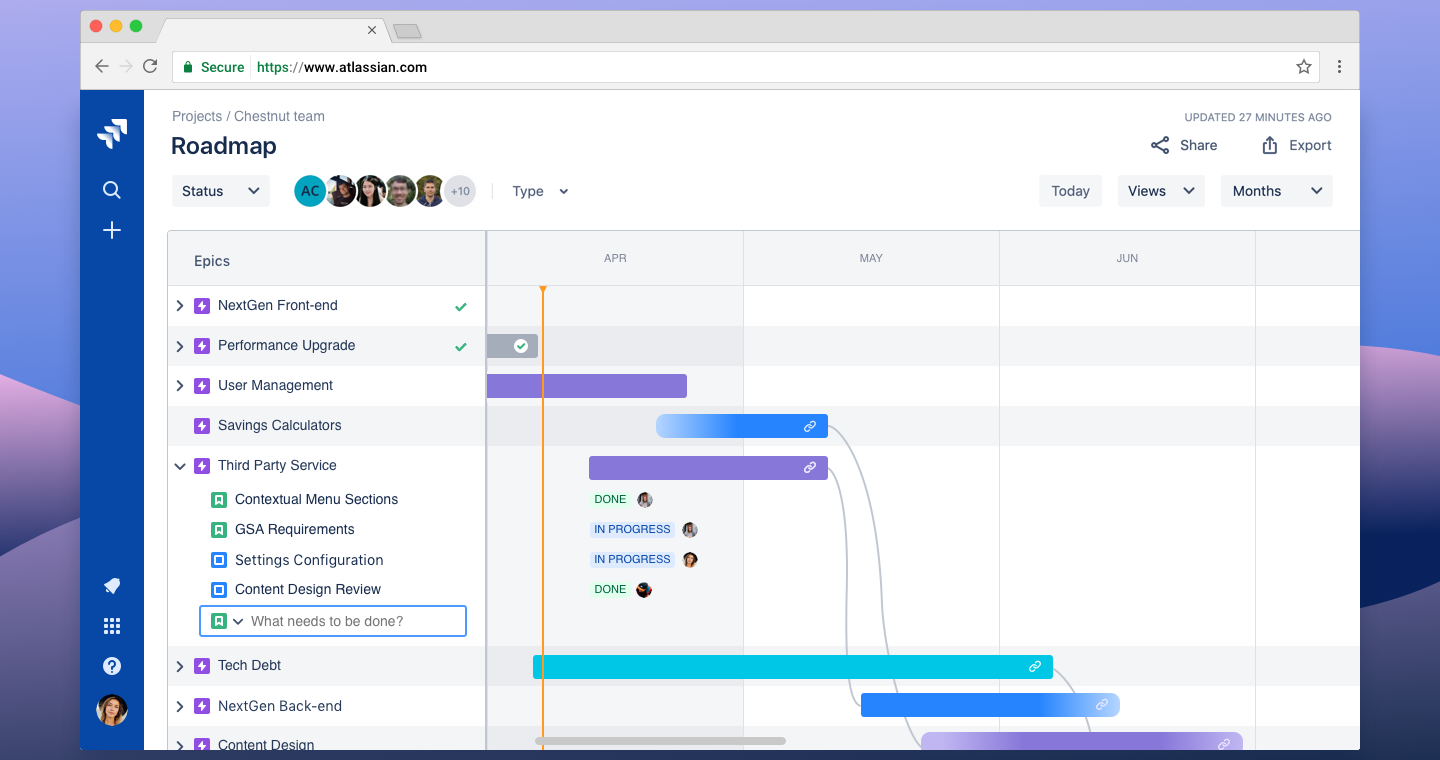
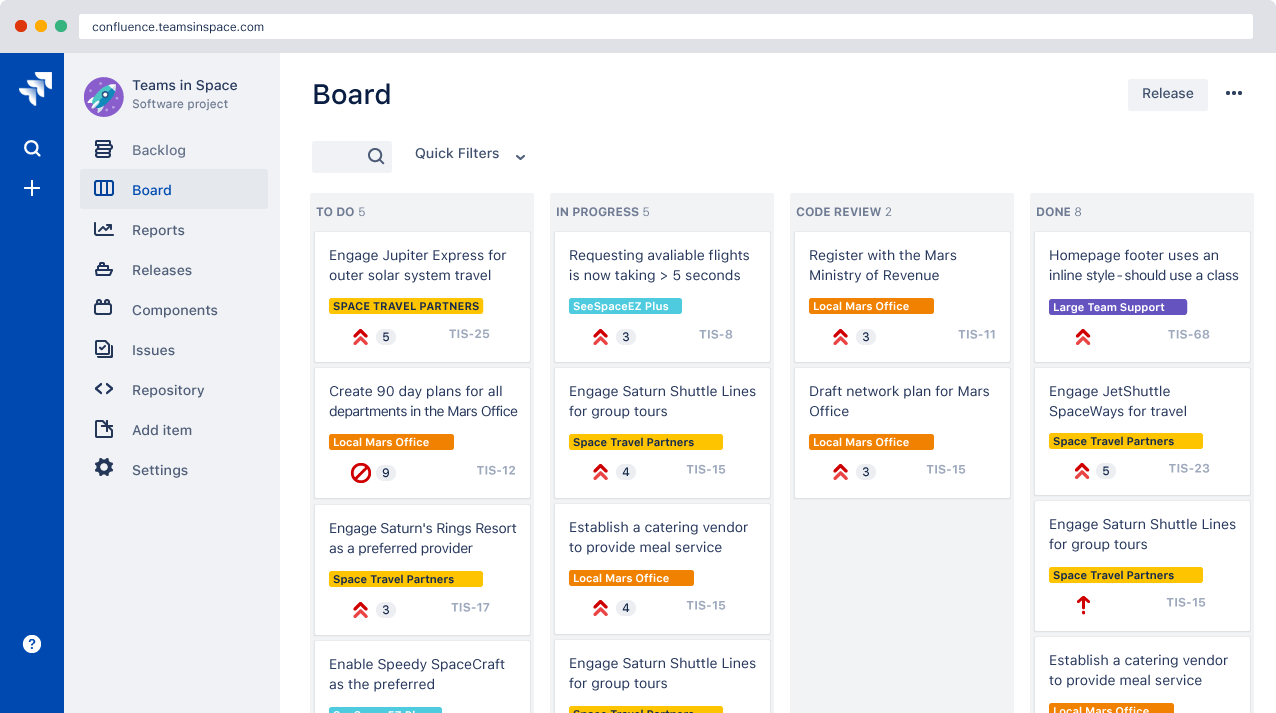
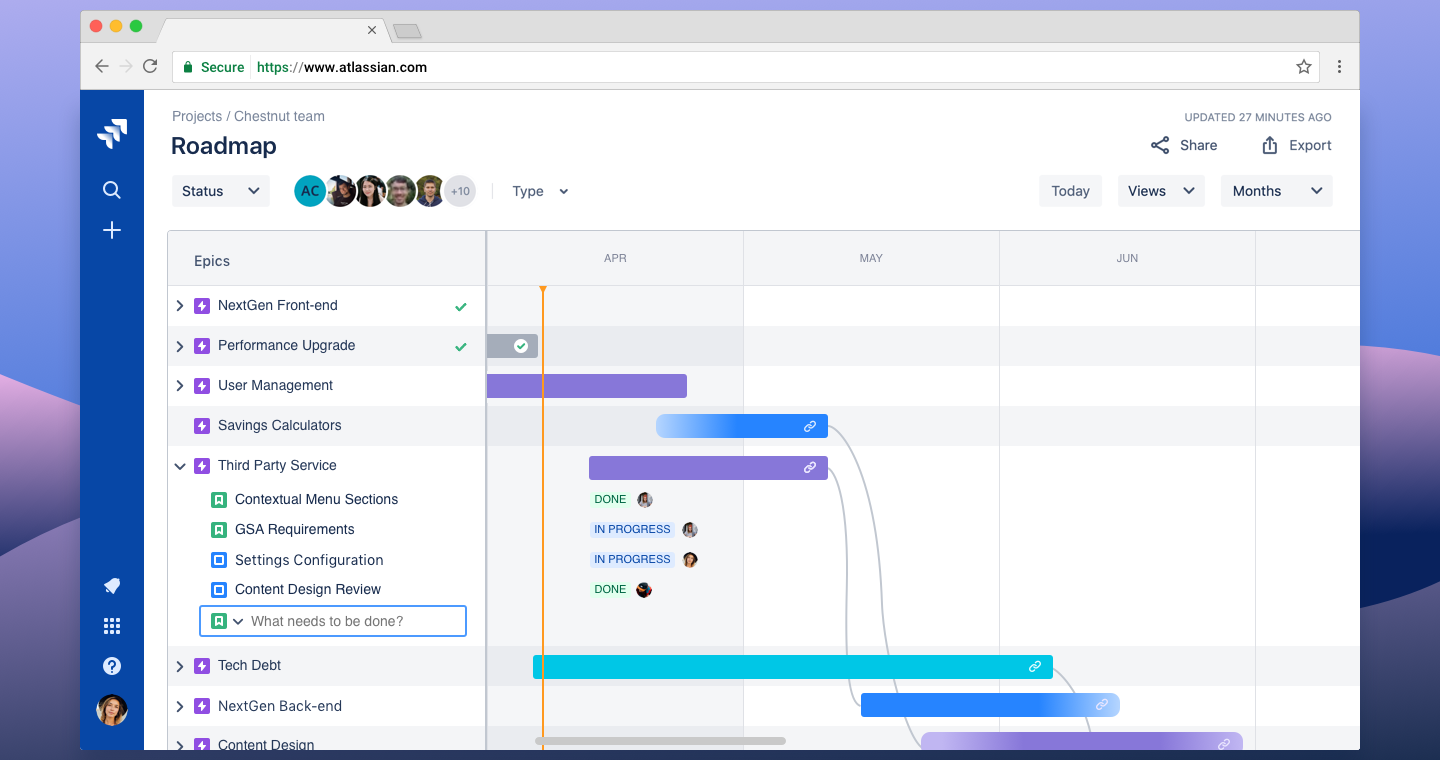
Screenshots


The Perfect Tool For...
- •Software development teams practicing Scrum or Kanban
- •Engineering organizations needing detailed sprint analytics
- •Teams requiring tight integration with Bitbucket/Confluence
- •Companies with complex release management needs
- •DevOps teams tracking bugs, features, and technical debt
Avoid If...
- •You're a non-technical team (marketing, HR, operations)
- •You want a simple, intuitive interface without training
- •Your team is under 10 people and needs lightweight tools
- •Budget is a concern (Atlassian pricing adds up quickly)
- •You need fast onboarding with minimal configuration
Ideal Use Cases
Sprint Planning
Plan two-week sprints with story pointing, velocity tracking, and burndown charts for predictable delivery
Bug Tracking
Log, prioritize, and track bugs with custom workflows, SLAs, and automated routing to engineering teams
Release Management
Coordinate multi-team releases with version tracking, deployment automation, and rollback planning
Jira has been recommended by Find Your Martech 18 times.
Detailed Evaluation
Organizational Fit for Jira
Early-stage start-up / solo
badSmall team / agency
limitedSMB / growing company
goodEstablished / large org
goodFind Your Martech Scores for Jira
Q1: What will you mainly use the tool for?
Q2: How many people will collaborate in the tool?
Q3: How structured or complex are your workflows?
Q4: What matters more to you: simplicity or flexibility?
Q5: How important is planning over time (dates, timelines, dependencies)?
Key Features
Strengths
- Unmatched depth for agile software development workflows
- Powerful JQL (Jira Query Language) for advanced filtering
- Extensive marketplace with 3000+ apps and integrations
- Granular permissions and security for enterprise compliance
- Best-in-class for DevOps with CI/CD pipeline visibility
Weaknesses
- Steep learning curve intimidates non-technical users
- Interface feels dated and cluttered compared to modern tools
- Performance degrades with large datasets (10,000+ issues)
- Pricing complexity with add-ons and per-user scaling
- Over-engineering simple tasks that need basic tracking
Communication Tool Synergies — Jira
These are communication tools that work particularly well with Jira.
Jira notifications and issue updates are commonly pushed to Slack channels.
Jira integrates with Teams for issue tracking and collaboration.
Jira and Confluence are deeply integrated for documentation and project tracking.
Design Tool Synergies — Jira
These are design tools that work particularly well with Jira.
Product and engineering teams link design specs directly to Jira issues.
Discovery and ideation boards are tied to Jira epics and stories.
Legacy and Mac-based product teams connect Sketch designs to Jira issues.
Design assets are reviewed and tracked alongside engineering work.
Vector and UI assets are managed as part of product delivery workflows.
Cost Profile
🏷️ Mid-market · Free plan · Increases quickly
Free tier is limited to small teams. Costs rise with users, automation, and advanced governance features.
Explore More Reviews
Want Personalized Tool Recommendations?
Take our questionnaire to get customized recommendations based on your specific needs, team size, and budget.
Start the QuizStop Wasting Time on the Wrong Tools
Stop wasting time (and budget) testing endless marketing tools that don't actually fit your needs. Every business is different, your goals, team size, workflow, and growth stage all require a tailored solution, not a generic "top 10 tools" list. Our service helps you cut through the noise: a simple questionnaire-style quiz analyzes how you work and delivers clear, practical recommendations for the marketing tech that truly suits you.
