Find Your Martech
    Adobe Express hero background

    Adobe Express

    Adobe polish without the learning curve

    Back to Reviews

    Tool Overview

    Tool Type

    Template-based design platform

    Core Purpose

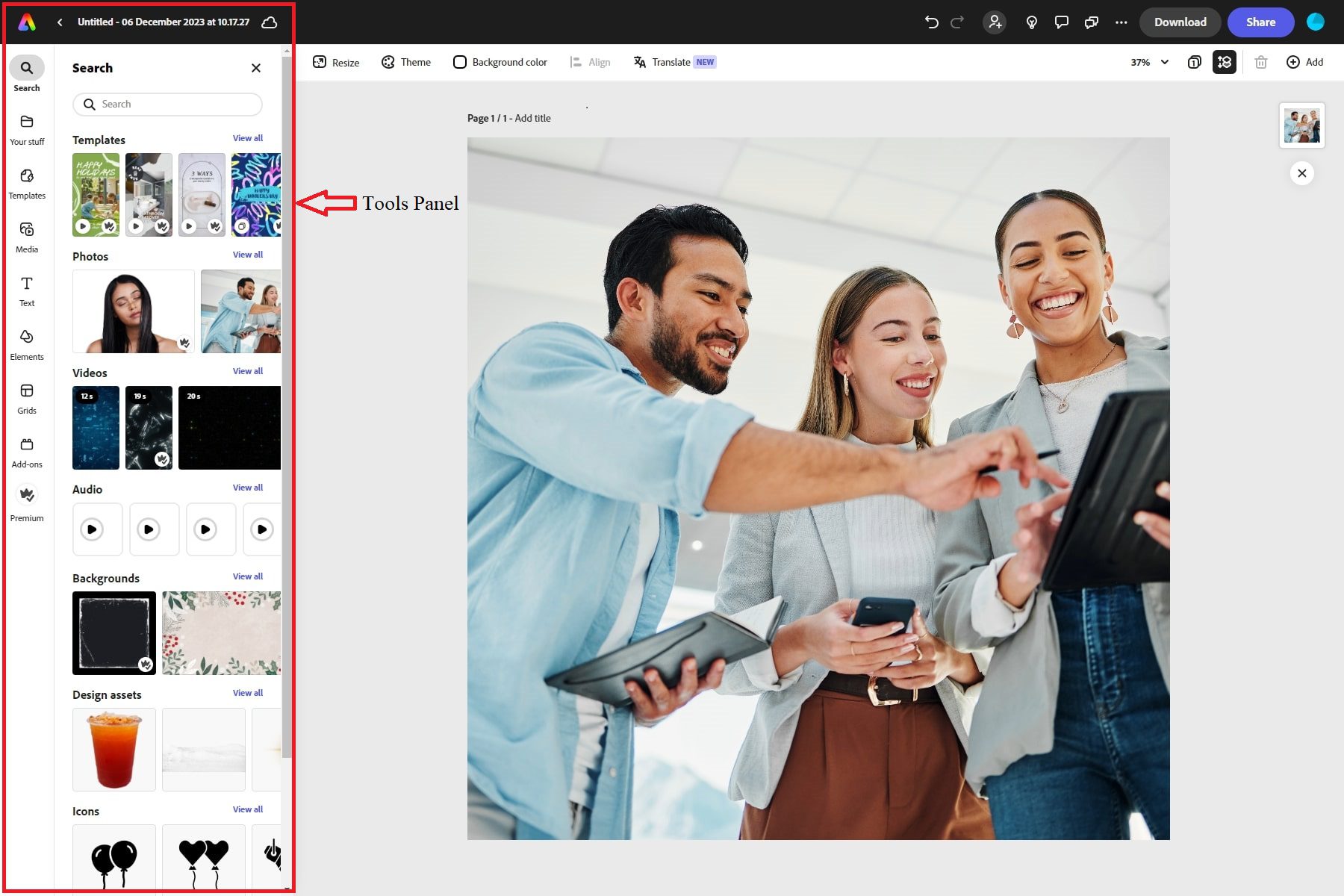
    Adobe Express positions itself as the accessible entry point to Adobe's design ecosystem. Its core purpose is to let teams create polished, on-brand content quickly without mastering Photoshop, Illustrator, or Premiere Pro. The platform borrows Adobe's design credibility and asset library while stripping away technical complexity. Templates are professional-grade, Adobe Stock integration is seamless, and the output quality reflects Adobe's standards. This matters for teams who need marketing materials that look expensive but cannot afford dedicated designers or extensive tool training. Adobe Express also functions as a bridge product. Users can start projects here and escalate to Photoshop or Illustrator when needed, maintaining file compatibility across the ecosystem. For existing Creative Cloud subscribers, Express becomes a natural overflow tool when quick turnarounds matter more than pixel-perfect control. The platform succeeds when speed and polish outweigh precision. It fails when users expect the depth of Adobe's professional tools or the radical simplicity of pure template platforms like Canva. Express occupies an awkward middle ground, trying to balance accessibility with Adobe's professional heritage.

    "For existing Creative Cloud subscribers, Express becomes a natural overflow tool when quick turnarounds matter more than pixel-perfect control"

    Screenshots

    Adobe Express screenshot 1
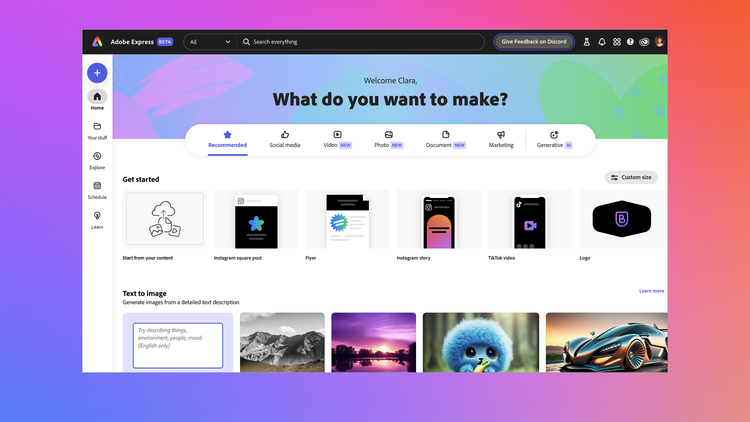
    Adobe Express screenshot 2
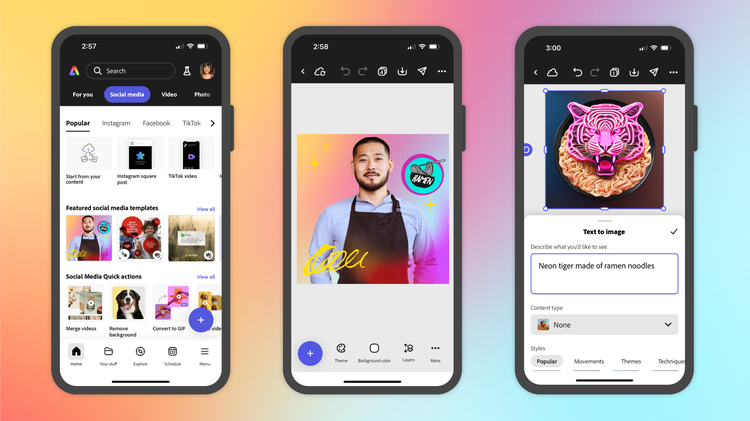
    Adobe Express screenshot 3
    Adobe Express screenshot 4

    The Perfect Tool For...

    • Teams already using Adobe Creative Cloud who need faster content production
    • Marketing professionals creating social posts, flyers, and web graphics
    • Organizations wanting Adobe polish without the learning curve of Photoshop or Illustrator

    Avoid If...

    • You need advanced vector editing, layer control, or professional print workflows
    • Budget constraints make the Adobe ecosystem cost prohibitive
    • Your team requires deep design system capabilities or developer handoff

    Ideal Use Cases

    Social media graphics and short video content

    Marketing flyers, posters, and promotional materials

    Quick edits to Adobe Stock assets for campaigns

    Adobe Express has been recommended by Find Your Martech 16 times.

    Detailed Evaluation

    Organizational Fit for Adobe Express

    Early-stage start-up / solo

    good

    Small team / agency

    good

    SMB / growing company

    limited

    Established / large org

    bad

    Find Your Martech Scores for Adobe Express

    Q1: What is your primary use case for design tools?

    Create graphics and visuals for social media, ads, and campaigns
    4
    Create presentations & pitch decks
    2
    Build or refresh my brand identity - logos, brand kits, and reusable templates
    2
    Design website or product UI/UX
    0
    Create videos or motion graphics
    2
    All-purpose general design work
    3

    Q2: What design assets do you need to create? (Multiple selections possible)

    Print-ready files (PDFs, business cards, roll-ups)
    2
    Video or motion graphics
    2
    UI/UX designs (wireframes, prototypes, web/app screens)
    0
    Brand assets (logos, typography, reusable templates)
    2
    Editable source files (vector files, layered PSDs for professional handoff)
    2

    Q3: How important is it that your designs can be reused outside the original tool?

    Not important - I just need the final exported image or video, I won't need to edit the source design later
    4
    Somewhat important - I want to be able to go back and edit my designs within the tool I used
    4
    Very important - I need fully portable files I can open, edit, and share outside the tool itself
    1

    Q4: What is your or your team's design experience level?

    Beginner – We mainly use templates and simple drag-and-drop tools
    4
    Intermediate – We can edit templates and create simple designs ourselves
    3
    Advanced – We understand layout, typography, and visual design principles
    1
    Expert / Pro – We need full creative control and professional-grade tools
    0

    Q5: How important is brand consistency for you?

    Low - I'm happy using standard templates without custom branding
    4
    Medium - We need a simple brand kit (logo, fonts, colors)
    3
    High - We need reusable branded templates & shared assets
    2
    Very High - We need team-wide brand governance and template locking
    1

    Q6: Does this tool need to connect with any of the following? Select all that apply - or skip if not relevant.

    Developer tools - I need designs to connect directly to developer workflows (Zeplin, Jira, GitHub)
    0
    CMS or website builder - I need designs to connect directly to my website or CMS
    2
    Digital Asset Management (DAM) - I need designs to feed into a centralised asset library
    2

    Key Features

    Template-driven design with Adobe Stock integration
    Quick social media and marketing content creation
    Brand kit and asset management
    Video and animation templates
    AI-powered editing features

    Strengths

    • Strongest when integrated with Creative Cloud
    • Professional-grade output quality
    • Bridge product to escalate to Photoshop or Illustrator

    Weaknesses

    • Less intuitive than pure template platforms like Canva
    • Limited depth compared to professional Adobe tools
    • Occupies awkward middle ground between accessibility and professional features

    Website/CMS Tool Synergies — Adobe Express

    These are website and CMS tools that work particularly well with Adobe Express.

    Wix

    Adobe Express is commonly used for quick marketing assets on Wix sites.

    Squarespace

    Social and content visuals are frequently created in Adobe Express for Squarespace sites.

    WordPress.org (self-hosted)

    Lightweight design workflows support content-heavy WordPress sites.

    Cost Profile

    Cost Profile:

    🏷️ Low · Free plan · Predictable

    Details:

    Free tier available. Paid access is typically bundled with Adobe subscriptions, keeping costs stable.

    Explore More Reviews

    Want Personalized Tool Recommendations?

    Take our questionnaire to get customized recommendations based on your specific needs, team size, and budget.

    Start the Quiz

    Stop Wasting Time on the Wrong Tools

    Stop wasting time (and budget) testing endless marketing tools that don't actually fit your needs. Every business is different, your goals, team size, workflow, and growth stage all require a tailored solution, not a generic "top 10 tools" list. Our service helps you cut through the noise: a simple questionnaire-style quiz analyzes how you work and delivers clear, practical recommendations for the marketing tech that truly suits you.

    Find your perfect marketing tools