

Microsoft Teams
Enterprise collaboration hub bundled with Microsoft 365
Tool Overview
Tool Type
Enterprise collaboration hub bundled with Microsoft 365
Core Purpose
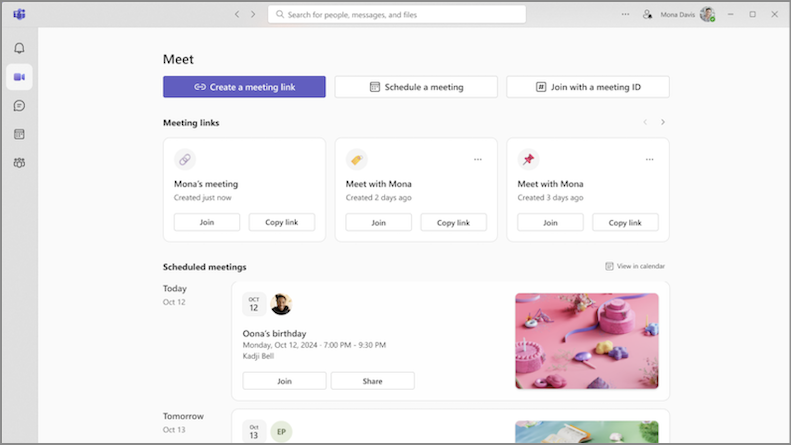
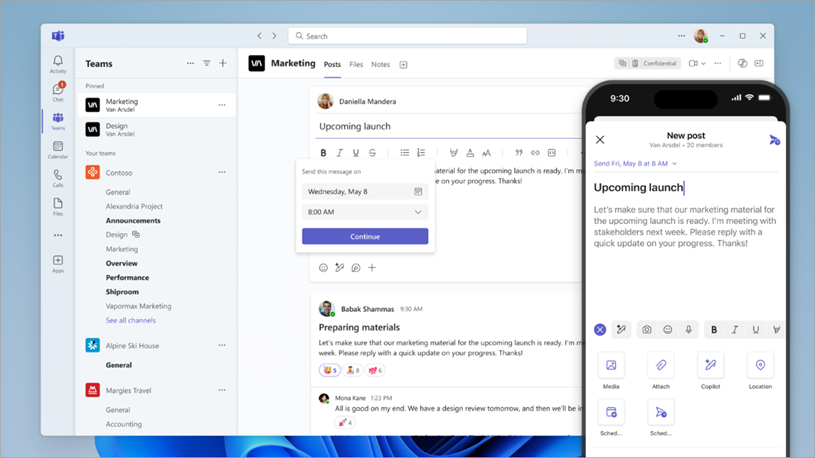
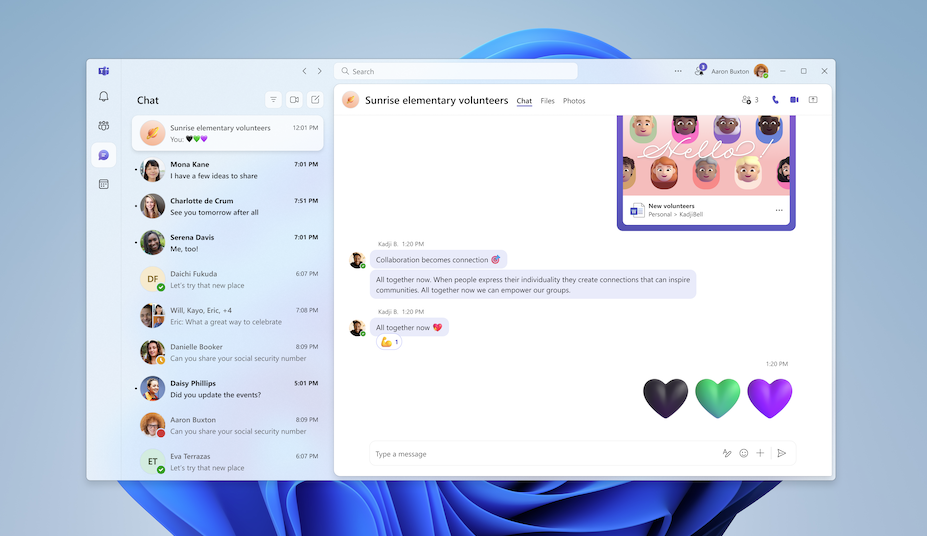
Microsoft Teams positions itself as the comprehensive collaboration platform for enterprises already invested in Microsoft 365. Unlike standalone chat tools, Teams integrates communication, meetings, calling, and Office apps into unified experience. Microsoft assumes organizations value consolidation and ecosystem integration over best-of-breed point solutions. Teams excels when Office integration, enterprise governance, and bundled economics outweigh UX refinement and third-party ecosystem depth. It struggles when teams prioritize chat experience quality or need extensive non-Microsoft integrations that Office ecosystem does not provide natively.
"Unlike standalone chat tools, Teams integrates communication, meetings, calling, and Office apps into a unified experience."
Screenshots

The Perfect Tool For...
- •Enterprises already committed to Microsoft 365 and Office ecosystem
- •Large organizations needing governance, compliance, and security controls
- •Teams requiring tight integration between chat and Office documents
- •Companies wanting unified platform for chat, meetings, and calling
- •Industries with strict regulatory requirements like healthcare and finance
Avoid If...
- •Your organization uses Google Workspace or other productivity suites
- •Team is small and does not need enterprise collaboration features
- •You want best-in-class chat UX over bundled suite functionality
- •Deep third-party app integrations are more important than Office integration
- •Startup or tech culture where Slack is the expected standard
Ideal Use Cases
Enterprise-wide collaboration platform
Providing single hub for all communication, meetings, file sharing, and app integration across large distributed organizations
Regulated industry communication
Meeting compliance requirements for healthcare, finance, and government with built-in security and data retention controls
Hybrid work coordination
Combining persistent chat, scheduled meetings, and Office document collaboration for teams working across office and remote
Microsoft Teams has been recommended by Find Your Martech 20 times.
Detailed Evaluation
Organizational Fit for Microsoft Teams
Early-stage start-up / solo
limitedSmall team / agency
limitedSMB / growing company
goodEstablished / large org
goodFind Your Martech Scores for Microsoft Teams
Q1 Primary Purpose - What is the main role you want this tool to play for your team?
Q2 Who will you mainly communicate with in this tool?
Q3 How do conversations usually happen in your team?
Q4 How important is it that this tool integrates smoothly with the tools your team already uses?
Q5 How important is it that the tool is simple and easy for everyone to use?
Key Features
Strengths
- Bundled with Office 365 makes marginal cost essentially zero
- Deepest Microsoft ecosystem integration in category
- Enterprise-grade security, compliance, and governance controls
- Unified platform reduces tool sprawl and context switching
- Strong video conferencing without requiring separate Zoom license
Weaknesses
- User experience and interface lag Slack in refinement and speed
- Third-party app ecosystem narrower than Slack marketplace
- Performance issues and complexity frustrate users compared to alternatives
- Notification management less sophisticated than dedicated chat tools
- Learning curve steeper due to feature breadth and Office integration complexity
Survey Tool Synergies — Microsoft Teams
These are tools from other categories that work particularly well with Microsoft Teams.
Teams connectors allow survey responses to be shared in channels, supporting structured feedback workflows in Microsoft-centric organizations.
Teams integrations allow survey insights to be shared within enterprise collaboration environments.
Enterprise teams share Productboard insights and roadmap changes inside Teams channels.
Teams integration supports enterprise research sharing and internal communication.
Feedback sharing aligns naturally with Microsoft-centric collaboration workflows.
Workflow/PM Tool Synergies — Microsoft Teams
These are workflow and project management tools that work particularly well with Microsoft Teams.
Asana integrates with Teams for task notifications and collaboration.
Jira integrates with Teams for issue tracking and collaboration.
Trello integrates with Teams for lightweight project collaboration.
Monday.com integrates with Teams for cross-functional collaboration.
ClickUp integrates with Teams for enterprise collaboration.
Cost Profile
Mid-market · Free plan · Predictable
Included in Microsoft 365 plans. Costs scale mainly with user licenses and remain stable once the plan is chosen.
Alternatives
Explore More Reviews
Want Personalized Tool Recommendations?
Take our questionnaire to get customized recommendations based on your specific needs, team size, and budget.
Start the QuizStop Wasting Time on the Wrong Tools
Stop wasting time (and budget) testing endless marketing tools that don't actually fit your needs. Every business is different, your goals, team size, workflow, and growth stage all require a tailored solution, not a generic "top 10 tools" list. Our service helps you cut through the noise: a simple questionnaire-style quiz analyzes how you work and delivers clear, practical recommendations for the marketing tech that truly suits you.
