
Smartsheet
Enterprise project management with spreadsheet familiarity
Tool Overview
Tool Type
Enterprise work execution platform
Core Purpose
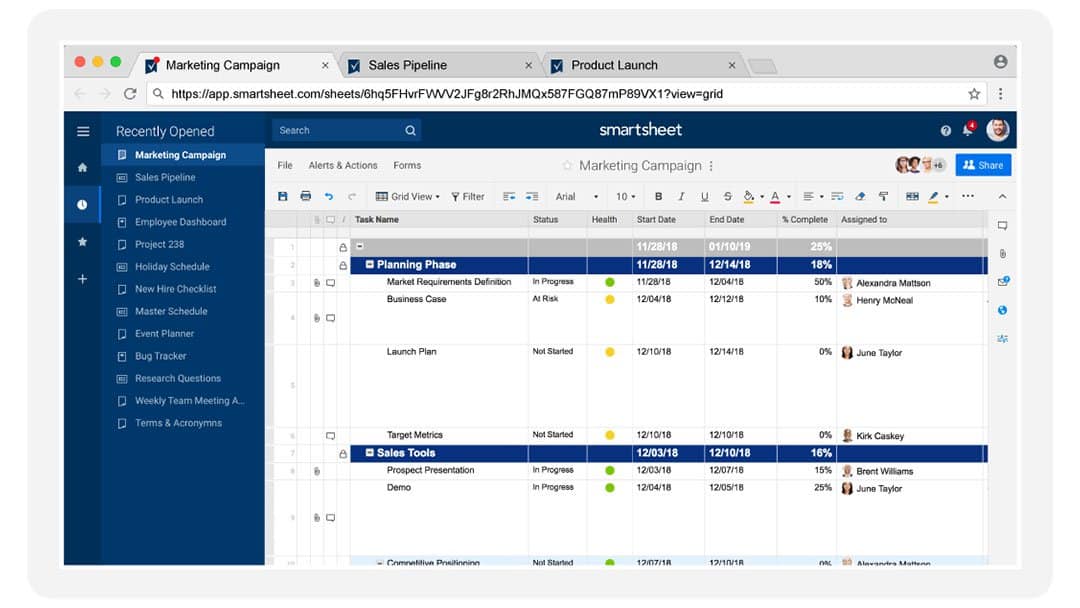
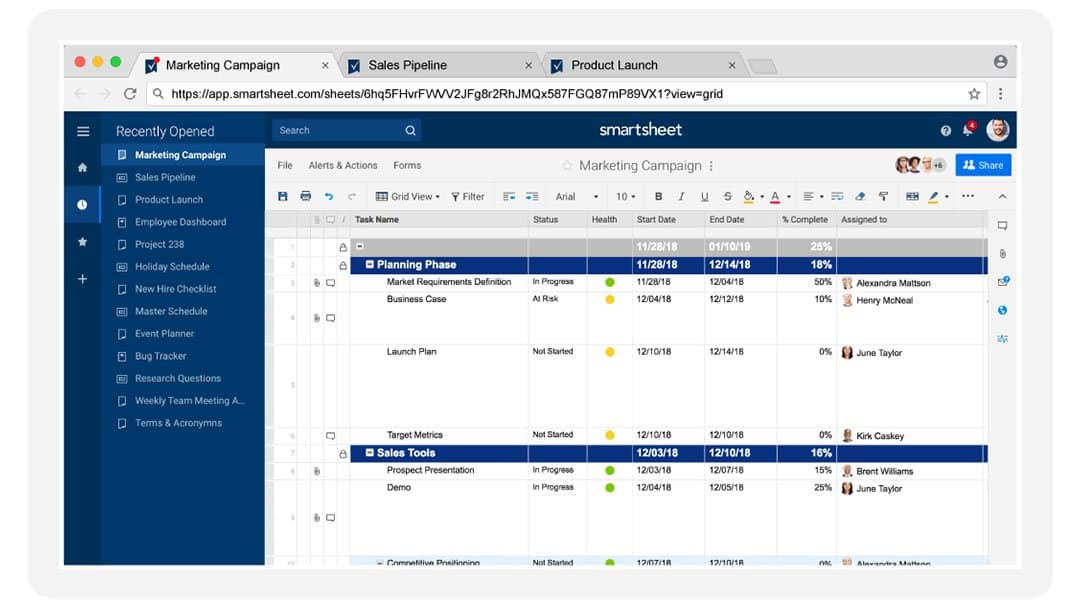
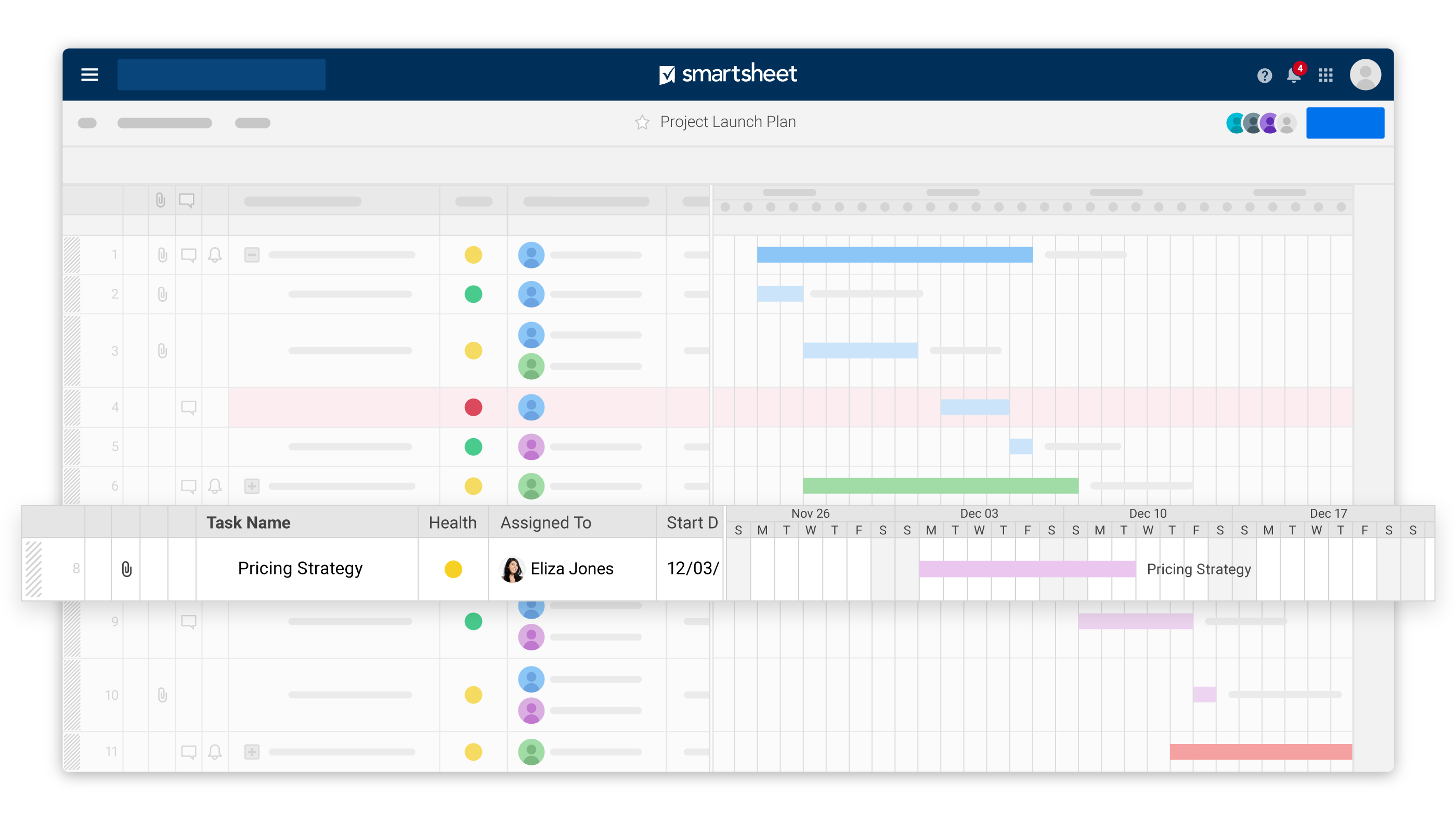
Smartsheet bridges the gap between Excel and enterprise project management, offering spreadsheet familiarity with collaborative PM capabilities. Targeting organizations where Excel is deeply embedded, it provides the grid interface teams know with Gantt charts, automations, and governance that Excel lacks. Teams choose Smartsheet when they need enterprise-grade project management without abandoning spreadsheet workflows. The platform excels in construction, manufacturing, and heavily regulated industries where detailed scheduling, resource management, and compliance matter. While powerful for traditional PM, its spreadsheet paradigm feels dated compared to modern visual tools.
"Smartsheet bridges the gap between Excel and enterprise project management"
Screenshots

The Perfect Tool For...
- •Spreadsheet power users needing collaborative project management
- •Construction and manufacturing managing complex schedules
- •Enterprise PMOs requiring governance and portfolio management
- •Teams transitioning from Excel wanting familiar grid interface
- •Organizations needing enterprise security with spreadsheet flexibility
Avoid If...
- •You want modern, visual interfaces over spreadsheet grids
- •Your team lacks spreadsheet literacy and prefers boards
- •Budget is tight (enterprise pricing starts at $25+/user)
- •You need software-specific agile workflows like Jira
- •Simple task management is your primary requirement
Ideal Use Cases
Construction Project Scheduling
Manage Gantt charts, dependencies, critical paths, and resource allocation for multi-year construction projects
IT Project Portfolio
Track enterprise IT initiatives with resource capacity, budget tracking, and executive dashboards
Marketing Campaign Calendar
Coordinate cross-channel campaigns with automated workflows, approvals, and asset management
Smartsheet has been recommended by Find Your Martech 18 times.
Detailed Evaluation
Organizational Fit for Smartsheet
Early-stage start-up / solo
badSmall team / agency
limitedSMB / growing company
goodEstablished / large org
goodFind Your Martech Scores for Smartsheet
Q1: What will you mainly use the tool for?
Q2: How many people will collaborate in the tool?
Q3: How structured or complex are your workflows?
Q4: What matters more to you: simplicity or flexibility?
Q5: How important is planning over time (dates, timelines, dependencies)?
Key Features
Strengths
- Excel-like familiarity reduces learning curve for spreadsheet users
- Enterprise-grade security and compliance certifications
- Powerful resource management rivals dedicated PPM tools
- Strong integration with Microsoft, Google, and enterprise systems
- Excellent for traditional waterfall project management
Weaknesses
- Spreadsheet paradigm limits visual appeal and intuitiveness
- Expensive ($25-$39/user) with features locked behind tiers
- Not optimized for agile software development workflows
- Mobile experience is functional but not delightful
- Overwhelming for teams wanting simple task management
Communication Tool Synergies — Smartsheet
These are communication tools that work particularly well with Smartsheet.
Smartsheet updates are pushed to Slack channels.
Smartsheet integrates with Teams for enterprise collaboration.
Design Tool Synergies — Smartsheet
These are design tools that work particularly well with Smartsheet.
Enterprise teams manage creative timelines and approvals in Smartsheet.
Large-scale design projects are tracked with formal workflows.
Cost Profile
🏷️ Mid-market · Free trial · Increases quickly
Pricing scales with users, sheets, and enterprise controls, often leading to higher long-term costs.
Alternatives
Explore More Reviews
Want Personalized Tool Recommendations?
Take our questionnaire to get customized recommendations based on your specific needs, team size, and budget.
Start the QuizStop Wasting Time on the Wrong Tools
Stop wasting time (and budget) testing endless marketing tools that don't actually fit your needs. Every business is different, your goals, team size, workflow, and growth stage all require a tailored solution, not a generic "top 10 tools" list. Our service helps you cut through the noise: a simple questionnaire-style quiz analyzes how you work and delivers clear, practical recommendations for the marketing tech that truly suits you.
