
Microsoft Project
The enterprise standard for traditional project scheduling and control
Tool Overview
Tool Type
Professional project management software
Core Purpose
Microsoft Project remains the enterprise standard for traditional project management, offering unmatched depth in scheduling, resource management, and earned value analysis. Built for certified project managers running complex, long-duration initiatives, it provides the rigorous planning and control required in construction, manufacturing, and government contracting. Teams choose Project when they need critical path analysis, resource leveling, and baseline variance tracking that satisfy PMO and regulatory requirements. The platform excels in waterfall environments where detailed upfront planning matters more than agile iteration. While powerful for traditional PM, its complexity and desktop-centric design make it overkill for modern knowledge work.
"Microsoft Project remains the enterprise standard for traditional project management"
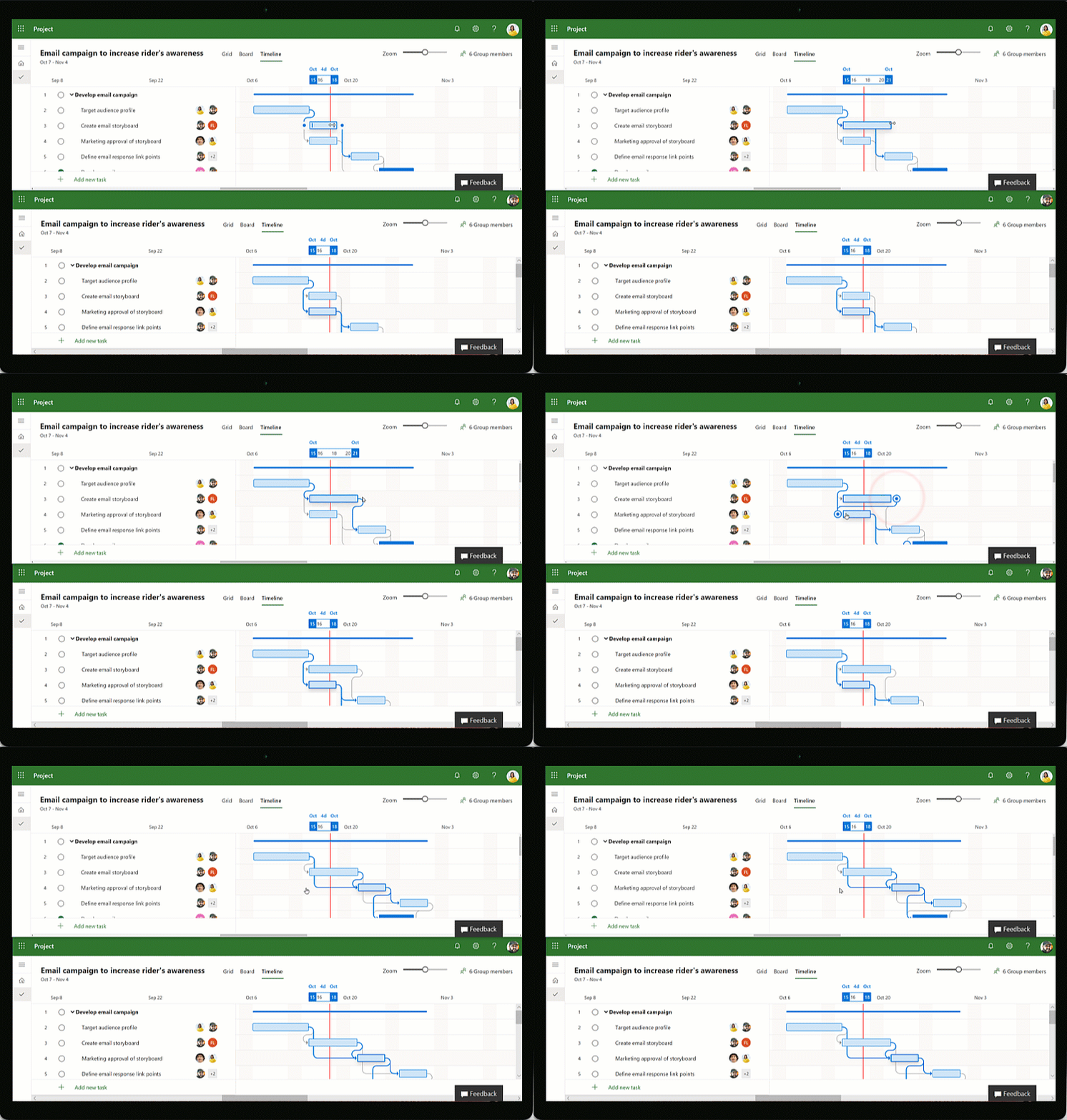
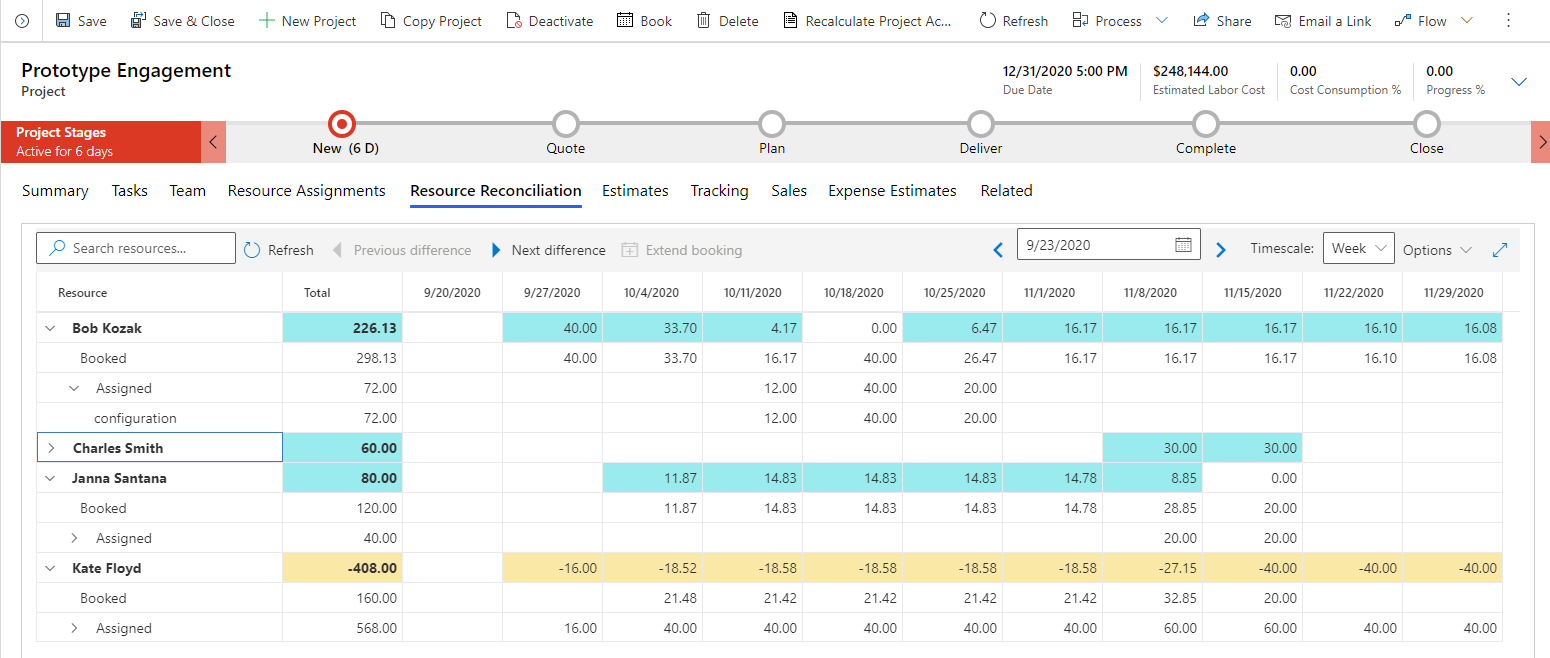
Screenshots
The Perfect Tool For...
- •Construction and engineering managing complex schedules
- •Enterprise PMOs requiring traditional waterfall methodology
- •Project managers with PMP certifications using earned value
- •Organizations deeply invested in Microsoft ecosystem
- •Industries with regulatory requirements for detailed planning
Avoid If...
- •You need agile software development workflows
- •Your team wants modern, cloud-first collaboration tools
- •Budget is limited (Project costs $30-$55/user monthly)
- •You require simple task management without complex scheduling
- •Your organization isn't on Microsoft 365
Ideal Use Cases
Construction Scheduling
Plan multi-year projects with critical path method, resource leveling, and earned value management
Enterprise Program Management
Coordinate portfolios of projects with master schedules, resource pools, and executive reporting
Manufacturing Planning
Manage production schedules with dependencies, constraints, and capacity planning
Microsoft Project has been recommended by Find Your Martech 15 times.
Detailed Evaluation
Organizational Fit for Microsoft Project
Early-stage start-up / solo
badSmall team / agency
badSMB / growing company
limitedEstablished / large org
goodFind Your Martech Scores for Microsoft Project
Q1: What will you mainly use the tool for?
Q2: How many people will collaborate in the tool?
Q3: How structured or complex are your workflows?
Q4: What matters more to you: simplicity or flexibility?
Q5: How important is planning over time (dates, timelines, dependencies)?
Key Features
Strengths
- Industry-leading scheduling and critical path analysis
- Unmatched resource management and capacity planning
- Deep integration with Microsoft ecosystem and Power BI
- Meets rigorous PMO and compliance requirements
- Decades of maturity with extensive training and certifications
Weaknesses
- Steep learning curve requires formal project management training
- Expensive ($30-$55/user) with desktop version adding costs
- Dated interface feels archaic compared to modern tools
- Overkill for agile teams and simple project tracking
- Collaboration features lag behind cloud-native competitors
Communication Tool Synergies — Microsoft Project
These are communication tools that work particularly well with Microsoft Project.
Microsoft Project integrates natively with Teams for collaboration.
Microsoft Project documents and plans are stored in SharePoint.
Design Tool Synergies — Microsoft Project
These are design tools that work particularly well with Microsoft Project.
Traditional project management governs creative production schedules.
Cost Profile
🏷️ Mid-market · Paid via suite · Predictable
Sold via Microsoft subscriptions. Pricing is license-based and stable once selected.
Alternatives
Explore More Reviews
Want Personalized Tool Recommendations?
Take our questionnaire to get customized recommendations based on your specific needs, team size, and budget.
Start the QuizStop Wasting Time on the Wrong Tools
Stop wasting time (and budget) testing endless marketing tools that don't actually fit your needs. Every business is different, your goals, team size, workflow, and growth stage all require a tailored solution, not a generic "top 10 tools" list. Our service helps you cut through the noise: a simple questionnaire-style quiz analyzes how you work and delivers clear, practical recommendations for the marketing tech that truly suits you.
