
Airtable
Collaborative databases made visual and accessible for non-technical teams
Tool Overview
Tool Type
Collaborative database platform
Core Purpose
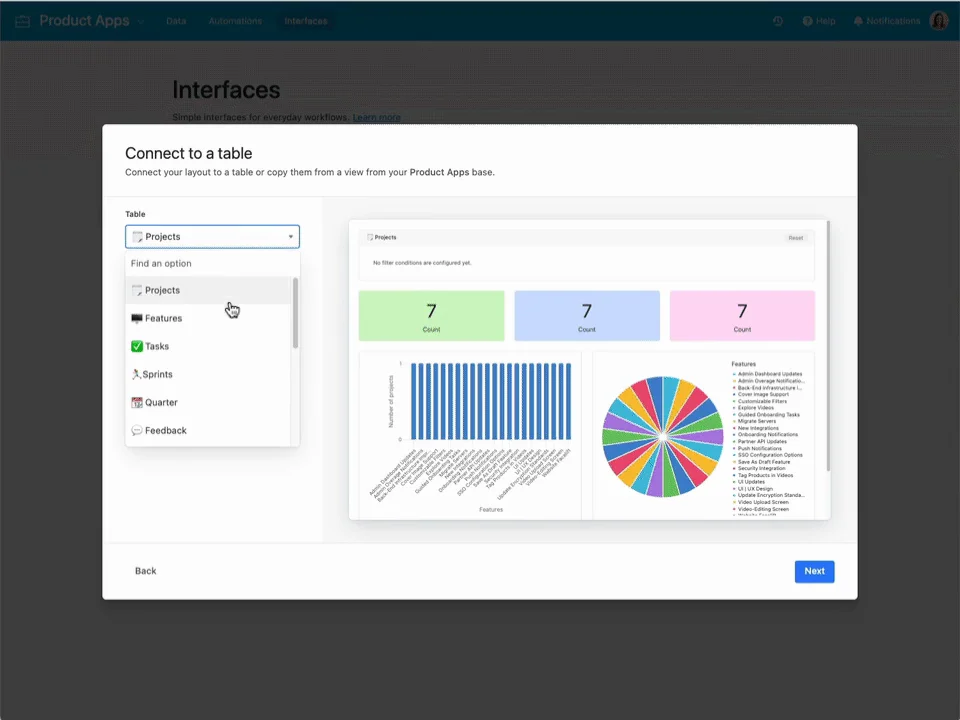
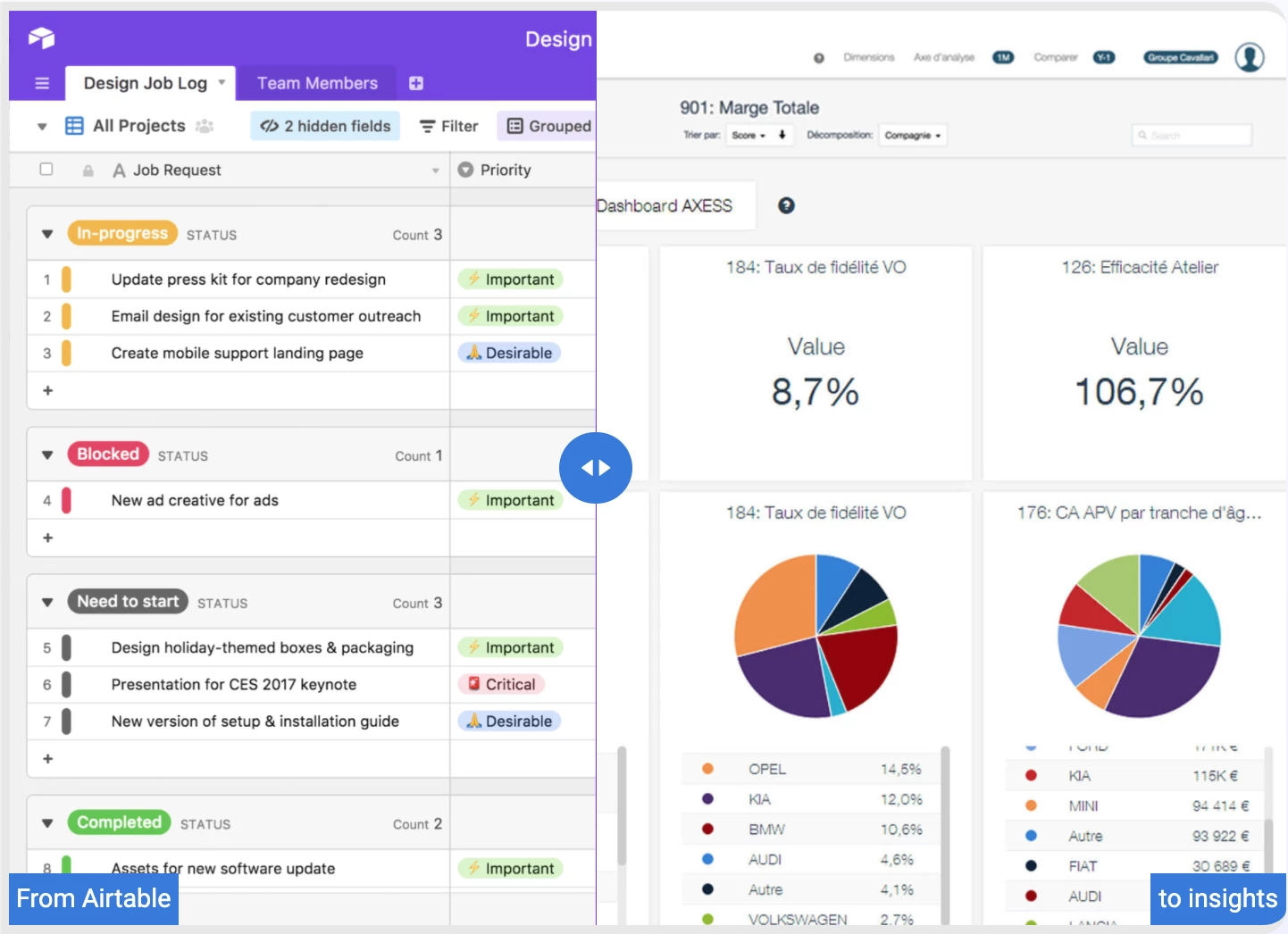
Airtable reimagines the database as a collaborative, visual tool that non-technical teams can actually use. Positioned between spreadsheets and proper databases, it offers relational data modeling through an approachable grid interface familiar to Excel users. Teams choose Airtable when they need structured data with relationships, lookups, and rollups but lack database expertise. The platform excels at content management, inventory tracking, and CRM use cases where flexibility trumps rigid project management. Its blocks, automations, and integrations transform static databases into dynamic workflows, though performance degrades with truly large datasets.
"Airtable reimagines the database as a collaborative, visual tool that non-technical teams can actually use"
Screenshots

The Perfect Tool For...
- •Teams needing flexible databases with spreadsheet familiarity
- •Content teams managing editorial calendars and asset libraries
- •Operations teams tracking inventory, vendors, or equipment
- •Non-technical users building custom apps without coding
- •Organizations wanting linked relational data without SQL
Avoid If...
- •You need traditional project management with Gantt charts
- •Your data requires enterprise-grade database performance
- •Budget is limited (pricing scales with records and features)
- •You want simple task boards without database complexity
- •Real-time collaboration speed is critical (can lag with large bases)
Ideal Use Cases
Content Production Database
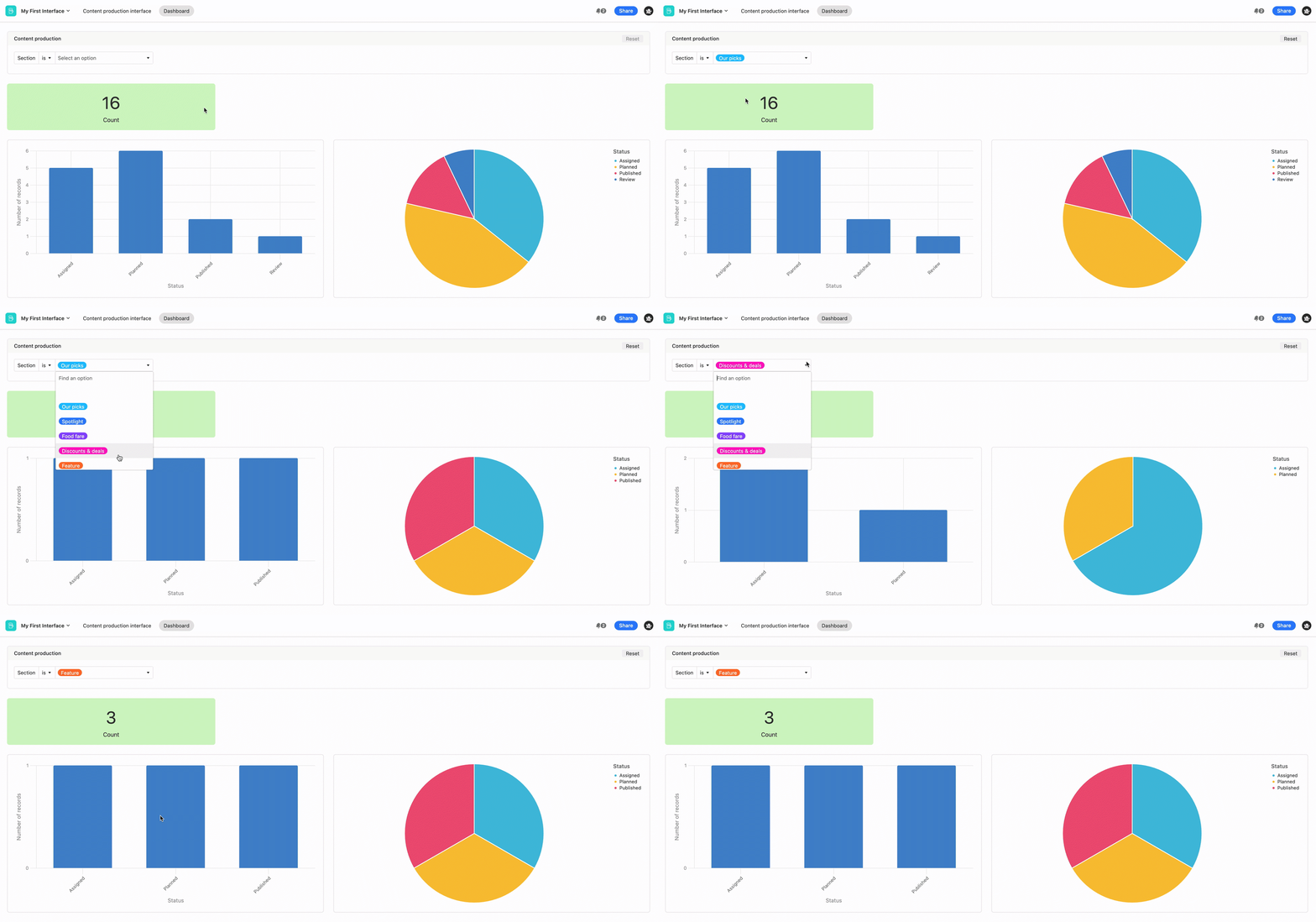
Track articles, authors, editors, publications, and status in linked tables with filtered views and automated workflows
Product Launch Tracker
Manage product SKUs, marketing assets, vendor relationships, and launch timelines with relational lookup fields
Event Management
Coordinate speakers, venues, sponsors, and attendees with linked records, automated emails, and timeline views
Airtable has been recommended by Find Your Martech 21 times.
Detailed Evaluation
Organizational Fit for Airtable
Early-stage start-up / solo
goodSmall team / agency
goodSMB / growing company
goodEstablished / large org
limitedFind Your Martech Scores for Airtable
Q1: What will you mainly use the tool for?
Q2: How many people will collaborate in the tool?
Q3: How structured or complex are your workflows?
Q4: What matters more to you: simplicity or flexibility?
Q5: How important is planning over time (dates, timelines, dependencies)?
Key Features
Strengths
- Intuitive for spreadsheet users transitioning to databases
- Exceptional flexibility for custom workflows and data structures
- Beautiful interface makes complex data approachable
- Strong template library covers hundreds of use cases
- Generous free tier suitable for small teams indefinitely
Weaknesses
- Performance suffers with bases over 50,000 records
- Pricing ($20-$45/user) becomes expensive for large teams
- Not purpose-built for software development workflows
- Limited reporting compared to dedicated BI tools
- Collaboration can feel slow compared to real-time tools
Cost Profile
🏷️ Mid-market · Free plan · Increases quickly
Free plan is limited. Costs rise with users, records, automations, and advanced features.
Alternatives
Explore More Reviews
Want Personalized Tool Recommendations?
Take our questionnaire to get customized recommendations based on your specific needs, team size, and budget.
Start the QuizStop Wasting Time on the Wrong Tools
Stop wasting time (and budget) testing endless marketing tools that don't actually fit your needs. Every business is different, your goals, team size, workflow, and growth stage all require a tailored solution, not a generic "top 10 tools" list. Our service helps you cut through the noise: a simple questionnaire-style quiz analyzes how you work and delivers clear, practical recommendations for the marketing tech that truly suits you.
